


When a rental problem appears at the worst possible moment, the difference between “I’ll deal with it later” and a properly recorded request can be surprisingly important. Resident Portal is a free lifestyle app from Entrata, Inc that brings a resident’s relationship with a property into one mobile place. I see its strongest value in one verified capability: making it easier to report a maintenance issue and keep communication with the property connected to that request.
That focus makes it more useful than a simple rent reminder. The app also supports rent payments and resident communication, but the maintenance workflow is where the idea becomes practical. Instead of searching for an office email, describing a problem from memory, and wondering whether anyone saw the message, you can use the resident portal associated with your property and create a clearer starting point.
The important distinction is that this is a property-connected tool, not a general rental app. Its usefulness depends on your community using Entrata’s resident services and on the information made available through that property. If your building is supported, it can reduce everyday friction. If it is not, installing the app alone will not turn it into a universal landlord-contact service.
Why the maintenance request capability matters
Maintenance reporting sounds simple until something actually breaks. A dripping faucet, a faulty appliance, a blocked drain, or an unreliable heating or cooling system often requires more than saying “something is wrong.” The property needs to know what happened, where it happened, and how urgent it may be. A structured resident portal encourages a more deliberate report than a rushed phone call or a vague text.
In my experience, the real benefit is not that the app magically fixes a problem. It gives the issue a digital home. I can think through the description before sending it, attach the relevant details when the workflow allows it, and return to the request rather than reconstructing the conversation later. That is a small change in behavior, but it can make communication less stressful.
This is especially helpful for residents who work irregular hours. A phone call to a leasing office may only be convenient during a narrow window, while a mobile request can be prepared when the problem is noticed. That does not guarantee an immediate response, and it should not be treated as an emergency service, but it can make non-emergency reporting more manageable.
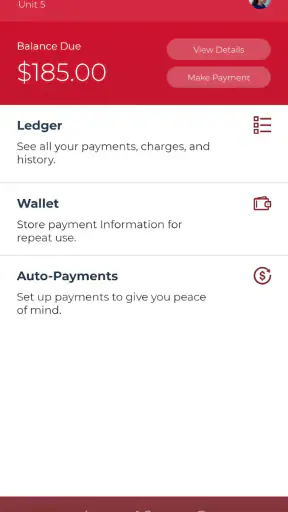
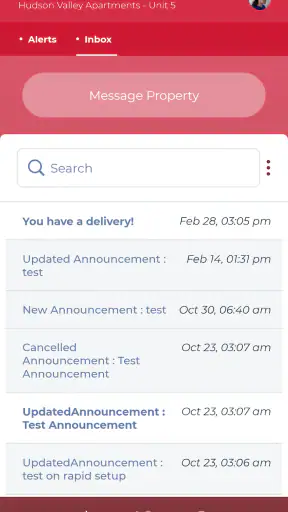
The app’s broader purpose also matters. Rent payment and property communication sit beside maintenance rather than being scattered across unrelated tools. I would not call that revolutionary, but it is convenient when I want one familiar place for resident tasks instead of switching between a browser, email, paper notices, and a phone contact.
What the workflow feels like in everyday use
The first step is connecting the app to the property experience provided by the community. That is the point at which expectations should stay realistic: Resident Portal is not equally useful for every renter everywhere. A resident in an Entrata-supported property is the intended user, while someone renting from an independent owner may find that the app does not apply to their arrangement.
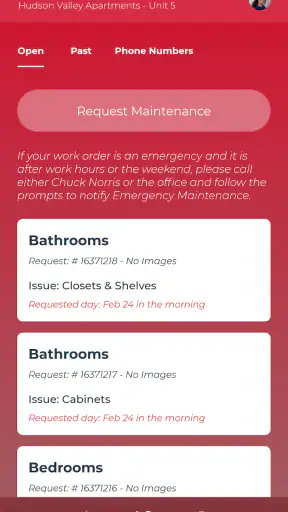
Once the account and property connection are in place, the practical habit is straightforward. I would open the app when I notice the issue, choose the maintenance route, describe the location and symptoms in plain language, and review the message before submitting it. A good report says what is happening rather than guessing at the technical cause. “The kitchen sink drains slowly and water remains after use” is more useful than “the plumbing is broken.”
That wording is one of the easiest ways to get more value from the app. I would include when the problem started, whether it is constant or occasional, and whether it affects one fixture or several. If there is a safety concern, I would state it directly. The goal is not to write a long essay; it is to give the property enough context to decide what kind of response is appropriate.
A second useful habit is keeping the request focused. If the refrigerator is failing and a bedroom light is out, combining both into one vague paragraph may make follow-up harder. Separate issues are easier to understand when they are reported separately, especially if different staff members or contractors may handle them. The app’s value increases when I use it as an organized record rather than a general complaint box.
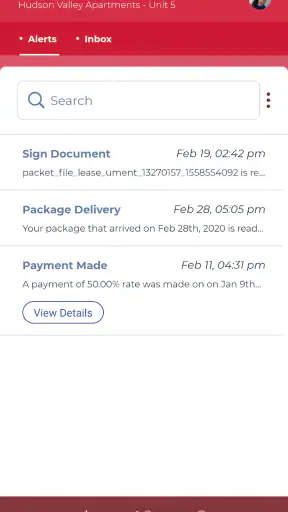
I also like the idea of reviewing the request after submission instead of assuming that sending it ends the process. If the property communicates through the portal, checking the relevant conversation can help keep updates connected to the original problem. That is more dependable than relying on memory or searching through an overflowing email inbox.
A realistic scenario: the leak that starts after work
Imagine noticing water collecting beneath the bathroom sink late in the day. It is not flooding the room, but ignoring it could allow cabinet damage or a larger leak. I would take a moment to observe whether the water appears after using the faucet, note the exact cabinet location, and describe the situation in Resident Portal. If the app offers the appropriate place to add supporting information, I would use it to make the issue easier to understand.
After sending the request, I would avoid assuming that the app itself has confirmed a repair appointment. The next useful step is to watch for the property’s response and keep the area safe while waiting. If the situation becomes an immediate threat to people or the building, I would use the property’s emergency instructions or appropriate emergency services instead of depending only on a routine digital request.
This example shows the app’s real effect. It helps turn an uncomfortable moment into a documented action. It does not replace judgment, and it does not remove the property’s responsibility to respond, but it gives the resident a clearer channel for starting the conversation.
Small habits that make the app more effective
One non-obvious advantage of a mobile maintenance workflow is that it encourages reporting while details are still fresh. I do not have to wait until I am near a desktop computer, by which time I may forget whether the noise happened every night or only once. Recording the pattern immediately can improve the quality of the request.
Another practical tip is to describe access conditions when they matter. If a technician needs a particular time window, if a pet is present, or if the issue can only be observed under certain conditions, that context may prevent an unnecessary visit. I would keep the note concise and avoid treating the request as a substitute for the property’s own scheduling process.
A third is to use the portal as a timeline. When a problem returns after a repair, referring to the earlier request can be more useful than starting from zero. The exact options available depend on how the property has configured its resident services, but the basic principle remains valuable: keep related communication together whenever possible.
Rent payments and communication beyond maintenance
Although maintenance is the capability I find most compelling, the app also exists to support rent payments and communication with the property. This combination can be convenient because resident responsibilities are often connected. A person may need to report a repair, ask a property question, and handle rent without maintaining several unrelated accounts.
Still, I would not choose Resident Portal solely because it promises to replace every financial or communication tool. The quality of the experience depends on the resident services enabled by the property. Some renters may use it mainly for maintenance, while others may find payment and property messages equally important. The best approach is to treat it as the official mobile doorway for the community rather than assuming every feature will be identical from one building to another.
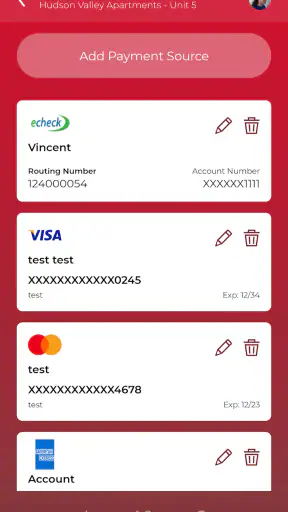
For rent, I would review the payment details carefully before submitting anything, just as I would with a property website. A mobile interface can make a task quicker, but convenience should not encourage careless checking. I would confirm the selected account, amount, and timing inside the available payment flow and keep any confirmation the app provides.
Where the experience can be frustrating
The biggest limitation is structural: the app is only as useful as the property’s participation and follow-through. A polished request screen cannot compensate for slow maintenance operations, unclear office procedures, or a community that does not keep its resident communication current. If the property rarely responds through the portal, residents may still need to call or visit the office.
There is also a difference between recording a problem and solving it. People who expect a live repair tracker, instant answers, or guaranteed appointment times may find the experience less satisfying than they hoped. I would view the app as a channel for submitting and organizing communication, not as proof that a repair has been accepted, scheduled, or completed.
Another trade-off is that centralization can make the app feel unnecessary for residents with very simple arrangements. If I rent directly from a small landlord who prefers text messages and handles everything personally, adding a resident portal may create another place to check. In that situation, the usual direct contact method may be faster and more natural.
There is also a learning curve around knowing which issues belong in the app and which require a different response. Routine maintenance is a sensible use. A serious leak, fire risk, loss of essential services, or immediate danger should be handled according to the property’s urgent instructions rather than waiting for a standard request queue. The app can support good judgment, but it cannot make that judgment for me.
Who will benefit most from it
I think Resident Portal is best for residents in professionally managed communities who want a consistent mobile route for maintenance, rent, and property communication. It is particularly helpful for people who dislike phone calls, move between work and home frequently, or want a written record of what they reported.
It can also suit residents who are new to a property and still learning how the community handles repairs. Having one recognizable place to begin is less intimidating than guessing whether to email a leasing agent, call a maintenance line, or use a website. The app’s resident-focused design makes that first step clearer when the property has integrated it properly.
On the other hand, I would skip it if my landlord does not use Entrata’s resident services, if I already have a faster official channel that the property consistently prefers, or if I need a general apartment-search and budgeting tool. This is not a marketplace for finding homes, a repair marketplace, or a replacement for emergency assistance. Its value is narrower and more practical.
Compatibility, maturity, and overall impression
Resident Portal has been available since April 18, 2014, and the current release is version 5.69.1. It supports Android 8.0 and later, which is useful for people who keep an older phone but still need access to resident tasks. The app is free to install and is rated for Everyone, making it broadly approachable for household use.
Its adoption also suggests that it is not an obscure experiment: the app has passed one million installs, with an average rating of 4.8 from around seventy-six thousand ratings and roughly ten thousand written reviews. I treat those figures as encouraging rather than conclusive. A resident app can be highly rated by people whose properties support it well and frustrating for others whose communities use it less effectively.
My final view is positive, with one clear condition. Resident Portal is most valuable when it turns maintenance reporting into a dependable habit. It gives me a practical way to describe a problem, submit it through the property’s chosen channel, and keep related communication easier to revisit. The rent and messaging functions add convenience, but they do not erase the need to check details or contact the property directly when urgency demands it.
If your community uses Entrata and you want a simple mobile route for resident responsibilities, I would recommend trying it. I would install it with realistic expectations, learn which requests the property wants handled there, and save the correct emergency contact instructions separately. For the right renter, that combination can make an otherwise annoying part of apartment life more organized without pretending that an app can replace responsive property management.


